
Traffic Court Records in Putnam County
Two courts split the traffic work in Putnam County. State Court handles citations issued at the county level. Trevor J. Addison's clerk office keeps those Putnam County traffic court records. Eatonton Municipal Court takes city ordinance and municipal traffic matters on its own. Hearings for both may sit inside the same courthouse. That shared building still keeps two separate files. The court name printed on your citation decides where to go. State Court users can start with the clerk's official State Court page, PayYourTix, or a call to (706) 485-4501. The counter in Suite 236 also works. Eatonton users should start with EZ Court Pay, the ticket itself, or Municipal Court and police at (706) 485-3551.
Putnam State Court PayYourTix
PayYourTix is the clerk-linked route for paying and looking up Putnam State Court traffic cases. The search form asks for state, jurisdiction, case number, citation number, last name, and driver-license number. A citation or license number is required. A last name alone will not carry the search. What comes back is a payment workflow, not a promise that every filing, setting, or disposition is on display. Type the identifier exactly as printed on the ticket. Georgia Courts warns that a new citation can take seven to twenty-one business days to show up online, so a fresh ticket may simply not be there yet. Don't read a no-result as a dismissal. Don't send duplicate payments either. Pick up the phone and call the issuing court instead.
How to Look Up a Putnam County Ticket
Georgia has no single statewide traffic-ticket database. Each issuing court controls its own record and decides when it goes online. So keep the paper citation close. It names the right court and carries the strongest search number you can use.
- Read the issuing agency, court, citation number, and date.
- Use PayYourTix for Putnam State Court or EZ Court Pay for Eatonton Municipal Court.
- Match the court and defendant details before taking action.
- Compare any result with the Master Court Calendar or notice.
- Call the correct clerk or visit its counter if no result appears.
Georgia's official ticket guidance lays out this local-court model. A statewide directory can help you find which court holds the file. It cannot replace the live docket that the court itself keeps.
Eatonton EZ Court Pay Fields
EZ Court Pay serves Eatonton Municipal Court citations. The public form marks Date of Birth as required. Citation Number or Last Name serves as the alternate identifier. Its pre-search screen will not show you a full docket or a list of every case. When you get a match, check it against the ticket. Then follow the city court's current directions. The EZ Court Pay form displays those city lookup fields.
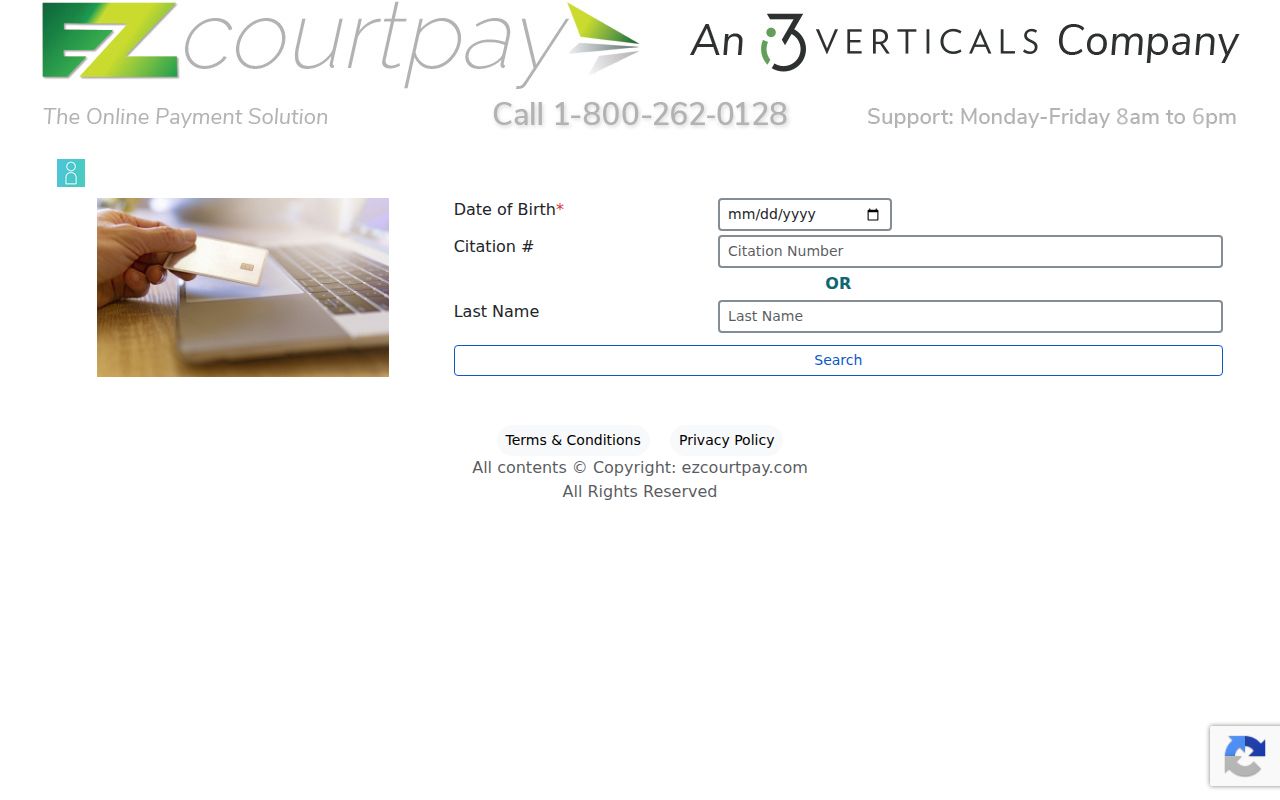
This form covers Eatonton municipal traffic only. Never use it to guess what sits inside a Putnam State Court docket.
Finding Your Putnam County Traffic Court Date
Your paper citation or court notice comes first for dates. For State Court, check it against the clerk's Master Court Calendar and the case docket. For Eatonton, read the city's current court-information page. Then call Municipal Court. Posted calendars are only general guides. A stale entry can linger after a reset. So verify any close date directly with the court.
| Citation | Use the exact printed number; no public Putnam format example was verified |
|---|---|
| Date and time | Read the latest notice, docket, or confirmed calendar entry |
| Court | Putnam State Court or Eatonton Municipal Court |
| Setting | TR marks traffic on the county calendar; it is not a disposition |
| Location | Confirm the courthouse entry and room with the responsible court |
No result online never means the hearing was canceled. Call the issuing court before your stated appearance time.
Putnam County Tickets May Lag
A new citation can sit offline for seven to twenty-one business days. That state guidance explains most no-result searches without moving the deadline printed on the ticket. Check your spelling and identifiers first. Then retry the court's named portal. If your date is close, phone the court rather than waiting on a database refresh. The State Court clerk answers at (706) 485-4501. Eatonton Municipal Court and police use (706) 485-3551. The counter is another fallback for inspection. Putnam's exact public-terminal location is not published, so call before you visit.
Paying or Contesting a Putnam County Ticket
Paying and contesting are two different roads. A payment portal processes an eligible citation. Contesting one means following the issuing court's appearance and plea directions. Eatonton allows online payment. It accepts cash at the police department before the court date, and it takes a money order by mail to P.O. Box 3820, Eatonton, GA 31024 when it bears the name and citation information. City payment must clear by midnight the day before court. None of those city rules bind State Court.
| Path | Action |
|---|---|
| Pay eligible citation | Use only the issuing court's approved channel and retain proof |
| Contest citation | Follow the court-date and appearance instructions |
| Must appear | Attend or contact the court; do not rely on a payment screen |
| No portal match | Call the court and confirm the date |
Failure to appear: contact the issuing court at once. DDS says a license suspension becomes effective 28 calendar days after it receives an eligible failure-to-appear notice, but only the court can resolve the court matter.
Eatonton Must-Appear Traffic Cases
Eatonton's official court information names the traffic categories that require an appearance. The list includes DUI, driving without a license, and suspended-license cases. Possession with marijuana is on it. So is speeding twenty-four or more miles per hour over the limit for a driver under twenty-one. Confirm the current list on the citation or city page. Rules and case facts change. The Eatonton Police court page posts the municipal directions.
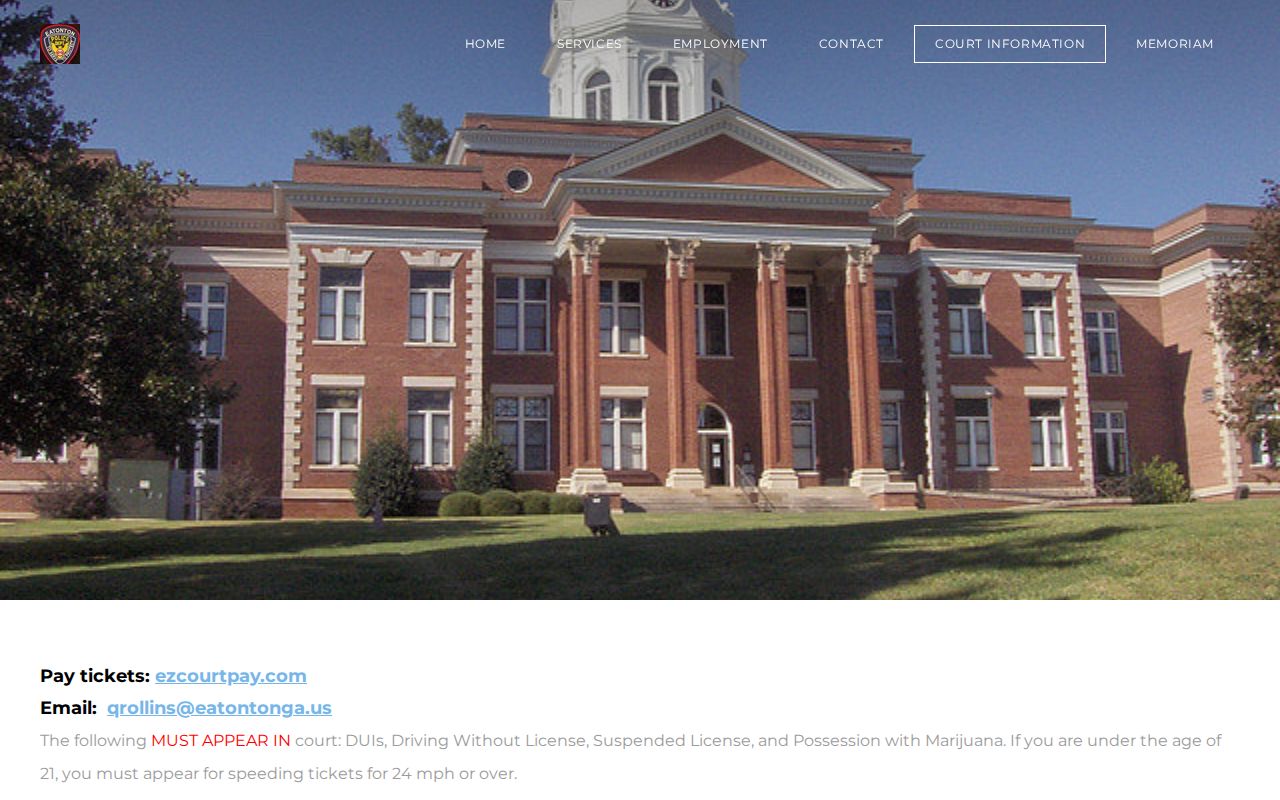
Trust the city page for municipal appearance rules. For Putnam State Court instructions, verify through the county clerk.
Court Traffic Record vs Driver Record
Two offices keep two different records. The court file tracks your citation as a legal case. The Georgia Department of Driver Services keeps the state driving record. A payment confirmation is neither one. It is not a full court docket. And it is not a complete driver record.
| Record | Custodian and contents |
|---|---|
| Traffic court file | State or Municipal Court; charge, plea, settings, orders, and disposition |
| Driving record | Georgia DDS; licensing history and agency-maintained entries |
Use the court record to learn what happened in the Putnam County traffic case. Ask DDS only about its own separate file.
Fees and Copies
Putnam County traffic fines vary by offense and by court. The same goes for defensive-driving eligibility, camera-program amounts, and copy fees. Rather than importing a number from another jurisdiction, call the issuing court for a live quote.
| Need | Verified route |
|---|---|
| State Court amount | PayYourTix or State Court clerk |
| Eatonton amount | EZ Court Pay or Municipal Court |
| Plain case copy | Ask the record custodian for current cost |
| Certified record | Confirm type, availability, and fee before ordering |
Need the filed papers behind a docket entry? Start with the broader Putnam County court records request process.
Putnam County Municipal and State Channels
One courthouse can hold more than one docket. Eatonton Municipal sessions meet inside the Putnam County Courthouse, but the city and its police department stay the municipal contact channel. State Court files sit with Addison's office instead. Before you search, pay, mail, or appear, match the agency on the citation to the named court.
Missed an Eatonton date? Call (706) 485-3551. State Court users should phone the county clerk. And never let a portal result override a citation, a signed order, or a direct instruction from the responsible court.
Verify Putnam County Traffic Results
A name alone is not a safe match. Check the issuing court and the citation number. Then check the full name, date of birth, the charge, and the scheduled date against the paper ticket. If even one field conflicts, stop before paying anything. Ask the court to identify the correct record, then keep your citation and any receipt. A portal confirmation only documents a transaction. It may not show later orders, a reset, or the complete Putnam County traffic docket.
State Court users should ask Addison's clerk whether the citation has been filed. Ask too whether the Master Court Calendar or case record carries the latest setting. For Eatonton, ask Municipal Court whether the matter is payable or requires attendance. The city's published must-appear list makes that distinction matter. An online button is not permission to skip a required hearing.
Settings change. When one does, look for the latest notice, docket event, or order. A later calendar listing does not by itself prove an earlier setting was vacated. Weather and emergency orders can disrupt court operations too. Near the date, confirm the court, the building entrance, the room, and the time. A posted page may still carry old material.