
How to Get Putnam County Court Records
Name the court, the case, and the paper first. Trevor J. Addison, Clerk of Superior, State, and Juvenile Courts, holds those three sets of Putnam County court records. Probate, Magistrate, and Eatonton Municipal Court run their own offices. The clerk's Case Search page leads to an Icon system, and Georgia's E-Access directory routes Putnam Superior and State matters to PeachCourt. An index can find a case without showing every filed image, though.
Need paper or a certified record? Contact the office that owns the file. The fallback for Superior, State, and Juvenile is Suite 236 at 100 South Jefferson Avenue, Eatonton, Georgia 31024. Phone (706) 485-4501 or email info@putnamcourtclerk.org. No official page promises fax service, a drop box, mailed-request timing, or payment types. Ask before sending money or originals.
- Identify the court, case number, parties, and document.
- Check the official index or provider.
- Choose online certification, counter inspection, phone, email, or written request.
- Confirm copy type, fee, delivery, and timing.
- Verify the record and certification.
Putnam County Record Custodians
Jurisdiction decides who keeps the file. Addison's office holds Superior felony and major civil files, State misdemeanor, traffic, and limited civil files, and Juvenile files under stricter access rules. Probate keeps estates, wills, guardianships, marriage, and related records. Magistrate holds small-claim, warrant, and preliminary-proceeding material. City ordinance and municipal traffic records belong to Eatonton Municipal Court.
A city ticket heard in the county courthouse is still an Eatonton Municipal record. It does not become a State Court file automatically. A Board of Commissioners record goes through the county administrative request system, not the court clerk's counter.
Superior, State, and Juvenile Clerk
100 South Jefferson Avenue, Suite 236
Eatonton, GA 31024
(706) 485-4501
Types of Putnam County Court Records
Think of a docket as the map of a case. The Putnam County court record behind it can include complaints, petitions, answers, motions, briefs, responses, service returns, orders, dismissals, judgments, sentencing papers, and cost orders. Evidence and transcripts may follow different custody and access rules, so ask for exact items rather than an undefined whole file.
- Case index and chronological docket entries
- Civil and criminal pleadings
- Orders, judgments, and disposition records
- Public exhibits or transcript material when available
- Certified, exemplified, or digitally certified copies
- Lower-court records from their own custodians
Putnam Probate reports estate and court records reaching back to 1808. Historical access still depends on confidentiality rules, and the clerk-linked Kofile index covers historic real estate rather than litigation dockets.
Putnam County eCertification Steps
The clerk's Online Certified Copies page routes users to GSCCCA eCertification. It covers Putnam Superior, State, and Juvenile Courts. You pick the county and court. Set up a universal account, sign in, and submit the request. Registration asks for your name and an email. An organization is optional. You also need a password and must accept the terms. Already have a certificate? Its authentication code lets you confirm it.
Remember that a picture of a page is not a certified Putnam County court record. Certification is clerk-backed proof attached to the document you requested. Before ordering, check the case number, the case title, the court, the certification type, the delivery method, and the price.
The GSCCCA county-selection screen lists every participating court, so you can confirm Putnam is on it and see which docket types are covered.
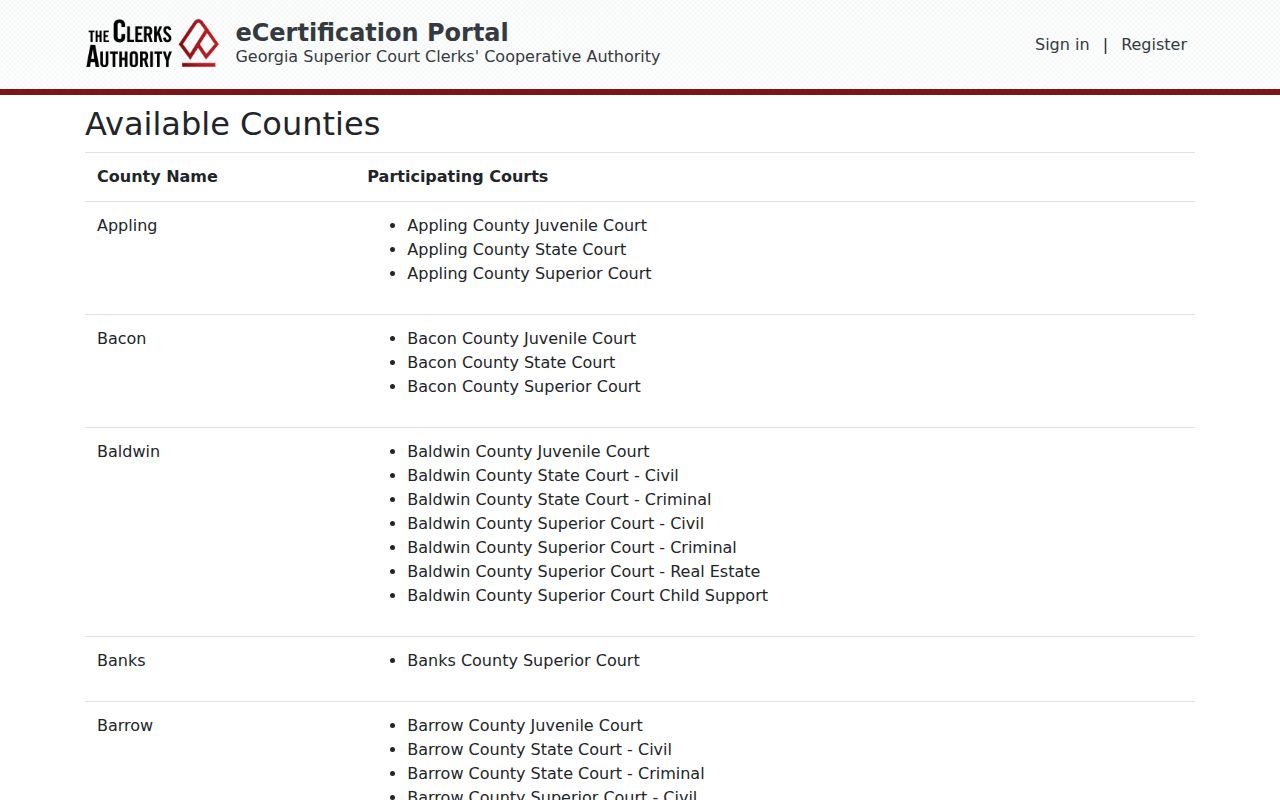
The provider handles authenticated digital copies. Inspection and paper-copy questions still go to the proper Putnam County clerk. Ordering and authentication are separate account functions. A requester submits through the participating-county workflow; a recipient later tests an issued certificate with its code.
Before using a certified copy, check that it comes from the intended Putnam court, bears the right case number, and includes the requested pleading or order. If any element is wrong, call the clerk.
What a Putnam County Court Record Contains
Read a public file as a sequence. The header names the court, caption, and case number. The docket lists filing dates, events, settings, and status, while separate images hold the papers themselves. An AR, MD, PD, or TC label describes a setting category, not a conviction or final result, so read the signed order or disposition.
| Identity | Court, case number, caption, parties, and case type |
|---|---|
| Docket | Chronological filings, actions, settings, and status |
| Pleadings | Complaints, answers, motions, briefs, and responses |
| Orders | Rulings, judgments, dismissals, and sentencing papers |
| Access flags | Restrictions, redactions, omitted images, or provider controls |
Case numbers: copy the exact identifier from the notice, docket, or clerk.
Putnam County Forms Are Not Files
The clerk's shop is a form catalog with civil, criminal, appeal, and real-estate downloads. Its prices are form-product charges. They are not filing costs, fines, search fees, or certified-copy fees, and that distinction matters when estimating a Putnam County court record request. The official forms shop shows the separate catalog.
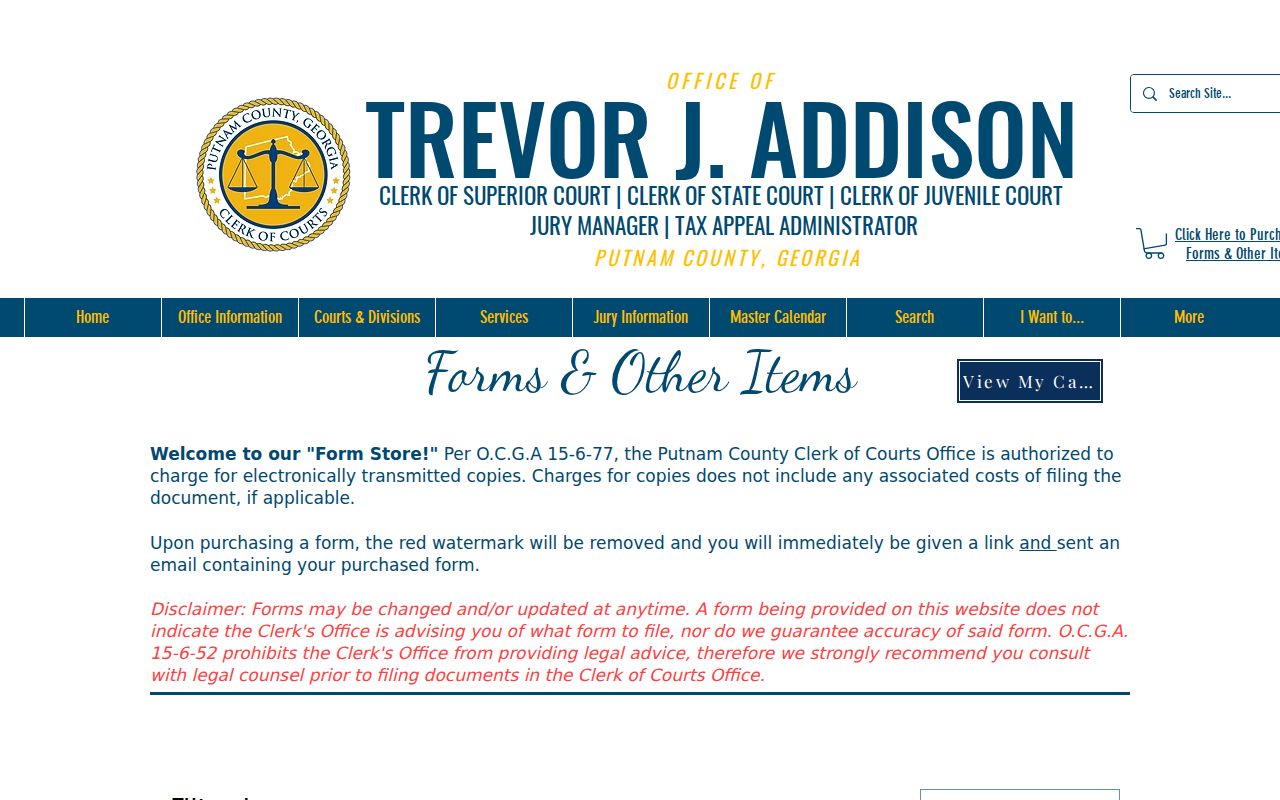
Use the shop for a listed form. For a document from an existing case, use Case Search, eCertification, or the clerk.
Certified Copies and Fees
Putnam County separates inspection, ordinary copies, and clerk-certified copies. The clerk points to O.C.G.A. § 15-6-77 for pricing. Current rates for pages, certification, exemplification, searches, and docket sheets are not posted in full, and a neighboring county's rate never applies here. Ask for a quote tied to the court, the item, and the delivery method.
| Item | Verified status |
|---|---|
| Plain copy | Confirm current amount |
| Certified copy | Confirm at order time |
| Exemplified copy | Amount not published |
| Search or docket sheet | Ask the custodian |
Online form prices and County Board administrative rates are not Putnam court-copy charges.
Putnam County Terminal Access
Georgia electronic-filing standards require a free courthouse access terminal during business hours. Its exact Putnam location is not published, so call the right clerk before you go. Ask which courts and years the terminal covers. Ask whether prints are available. Ask what print or certification fee applies.
An Icon VIEWONLY login does not prove a case is missing. Try Georgia E-Access, call the custodian, or request inspection. Probate, Magistrate, and Municipal Court records may sit at their own counters.
Public Access and Sealed Records
Court records in Putnam County start out open. Uniform Superior Court Rule 21 makes them public unless a law or court procedure says otherwise. A judge can restrict part of a file or all of it. Protected identifiers may also be pulled from documents. Some cases get tighter controls. Juvenile matters are one example, and parts of probate, guardianship, adoption, or incapacity files can be limited too.
Key rules:
Georgia Open Records Act, O.C.G.A. §§ 50-18-70 and 50-18-71 supports inspection subject to orders and exemptions.
Uniform Superior Court Rule 21 governs public access and limits.
O.C.G.A. § 15-6-77 is the fee authority cited by the clerk.
Does the clerk block access to a docket or file? Ask which statute, rule, or order applies. Put the request in writing. It should name the court, the case number, the document, how you want delivery, and how to reach you. One caution: the Board's NextRequest system is a county records portal, not the court clerk's.
Putnam County Request Checklist
A clear request saves time. The clerk can act quickly when the file and product are spelled out. Start with the exact court. Add the case number if you have it, the full caption or party names, an approximate filing year, and the title of each pleading or order you want. Say whether you need inspection, an ordinary copy, a certified copy, or an exemplified copy. Give a safe contact method and your preferred delivery format. Skip private data in an open email or contact form. Social Security numbers and full account numbers do not belong there. Similar details do not either.
Planning to mail your inquiry? Call the Putnam County clerk first. No standard mail form, identification rule, payment method list, return-envelope requirement, fax workflow, drop box, or turnaround guarantee is published. Ask the clerk to quote the current cost. Ask how payment should be supplied, too. If timing matters, ask when the office expects to locate the file and whether an electronic certified document would serve your need. Keep the response and receipt with the delivered Putnam County court record.
What if a docket search returns nothing? Treat it as a channel problem, not a verdict on the case. Confirm the matter belongs to Superior, State, Juvenile, Probate, Magistrate, or Eatonton Municipal Court. Check the spelling and the case year too. A public index can hide images behind an account, while a sealed or restricted file may return only limited information. Ask the clerk what public portion exists and what rule or order controls the rest. Never try to get past a login, redaction, or access restriction.