
How to Search the Eatonton Court Docket
Look first at the court printed on the ticket. A city matter cited by Eatonton Police generally lands in Eatonton Municipal Court. That court uses EZ Court Pay for online lookups. The system wants a date of birth plus either a citation number or a last name. The pre-search screen is not a full case-file inventory. Treat it strictly as a citation and payment channel. Then confirm the setting with the city court.
- Read the issuing agency, court, citation number, and date.
- Open EZ Court Pay and enter the required identifiers.
- Match the result to the citation before paying.
- Check current Eatonton court information and confirm the setting.
- If the case is not municipal, use the correct Putnam County court channel.
A no-result in a city portal never proves dismissal. Call Municipal Court and police at (706) 485-3551 to check the Eatonton court docket directly. And do not assume the county clerk's Case Search reaches city cases.
Eatonton Municipal Docket Context
Eatonton counted 6,307 residents in the 2020 Census. It is the only incorporated city on Putnam County's city manifest. Population alone says nothing about citation volume. The city publishes no municipal caseload dashboard. What matters locally is that Eatonton runs its own docket route.
Rely on official court and citation channels instead of guessing docket volume from population.
The Eatonton Municipal Court
Eatonton Municipal Court handles city ordinance cases and municipal traffic tickets. Michael Gailey serves as Municipal Court Judge, according to the city's own directory. City Hall sits at 201 North Jefferson Avenue. Sessions, though, happen elsewhere. The official police court page puts them at the Putnam County Courthouse, 100 South Jefferson Avenue. So a city ticket can lead you into the county courthouse. It never becomes a Putnam State Court file. Call (706) 485-3551 for city and police matters. Trevor J. Addison runs a separate clerk channel for State and Superior cases. Always confirm the court named on your notice. The Eatonton city directory lists the municipal contacts you need.
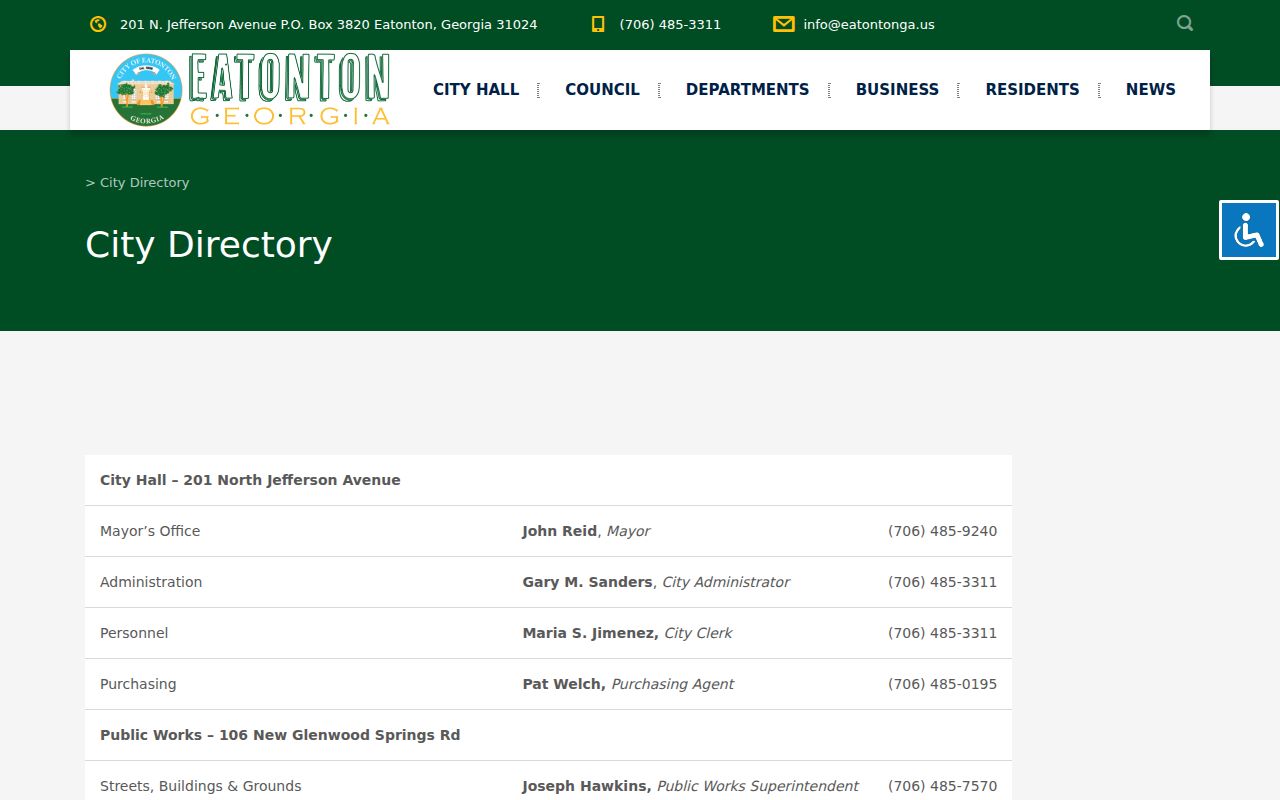
The directory keeps City Hall, police, and court roles distinct even where local services share contact paths.
Eatonton EZ Court Pay Search
EZ Court Pay is the named online route for an Eatonton municipal citation. Date of Birth is required. Citation Number or Last Name serves as the alternate lookup choice. Use the exact spelling and number from the ticket. The official EZ Court Pay form displays the lookup inputs. Its results appear only through a real search. So treat it as a citation tool rather than a full Eatonton court docket archive.
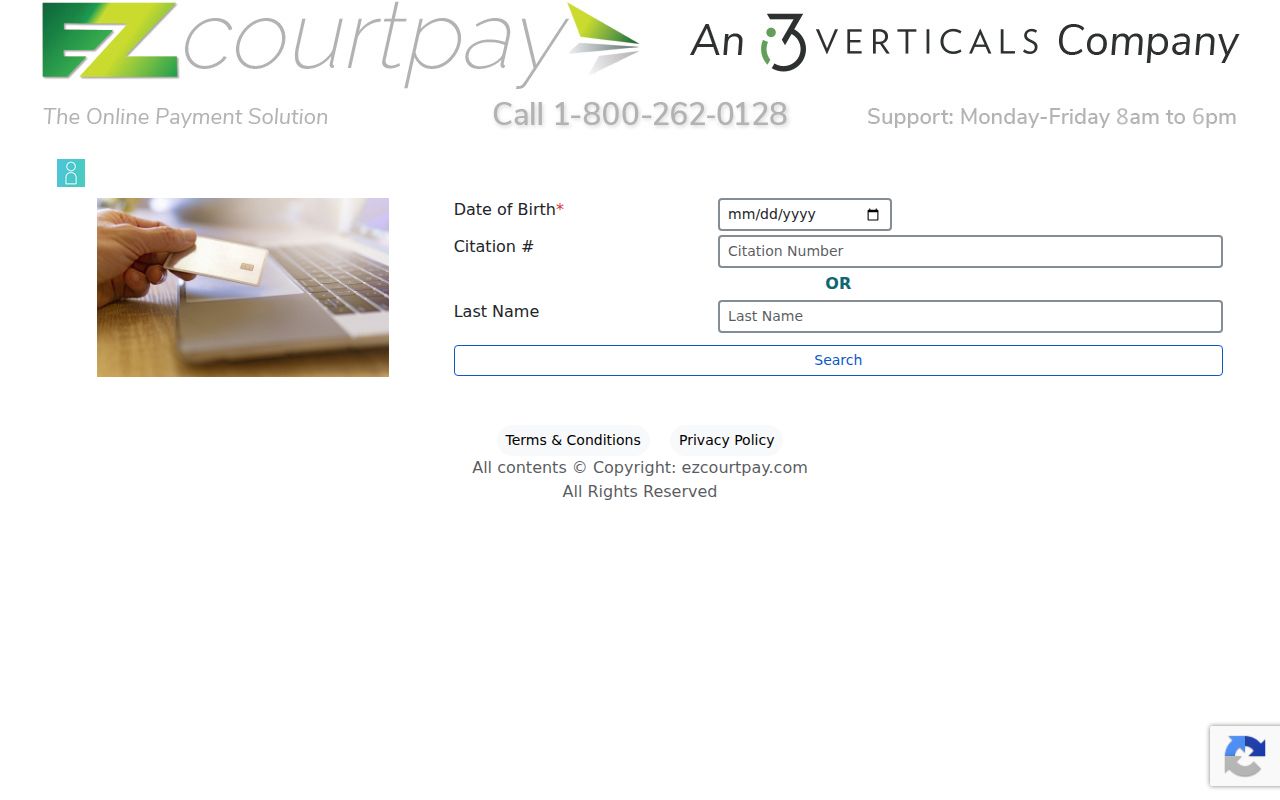
A match there can identify or pay an eligible ticket. The municipal office still holds the full public case record and confirms dates.
Eatonton Court Dates and Settings
Read the citation first. Then compare it with the city's current court-information page. One year typo in the posted date list makes live confirmation all the more important. The city page also preserves a 2021 video-conference order, but that old notice does not guarantee any current remote-hearing policy.
| Date | Use the current citation, notice, or confirmed city listing |
|---|---|
| Time | Confirm with Municipal Court before the appearance |
| Venue | Putnam County Courthouse, as stated by Eatonton Police |
| Judge | Michael Gailey is identified in the city directory |
| Setting type | Municipal traffic or ordinance matter; read the notice |
A stale web date never resets a ticket. If a setting is close, call (706) 485-3551 and note when and from whom the confirmation came.
Eatonton Courthouse Venue
The municipal court meets at the county courthouse as a venue fact only. Eatonton keeps its municipal docket through the city and police channel. Addison's Suite 236 office holds Superior, State, and Juvenile records. Probate and Magistrate each have separate custodians.
The distinction matters at the counter. Bring the ticket. Ask for Municipal Court when Eatonton issued it. Someone chasing a State Court traffic case should use the county clerk instead. One front door, different files.
Eatonton Traffic Tickets
Eatonton offers four ways to handle a ticket. You can pay online through EZ Court Pay. You can pay cash at the police department before the court date. You can mail a money order with your name and citation information to P.O. Box 3820, Eatonton, GA 31024, or appear at the courthouse. City rules say payment must finish by midnight the day before court. The Eatonton Police services page lays out these municipal options. Payment works only when the citation is eligible.
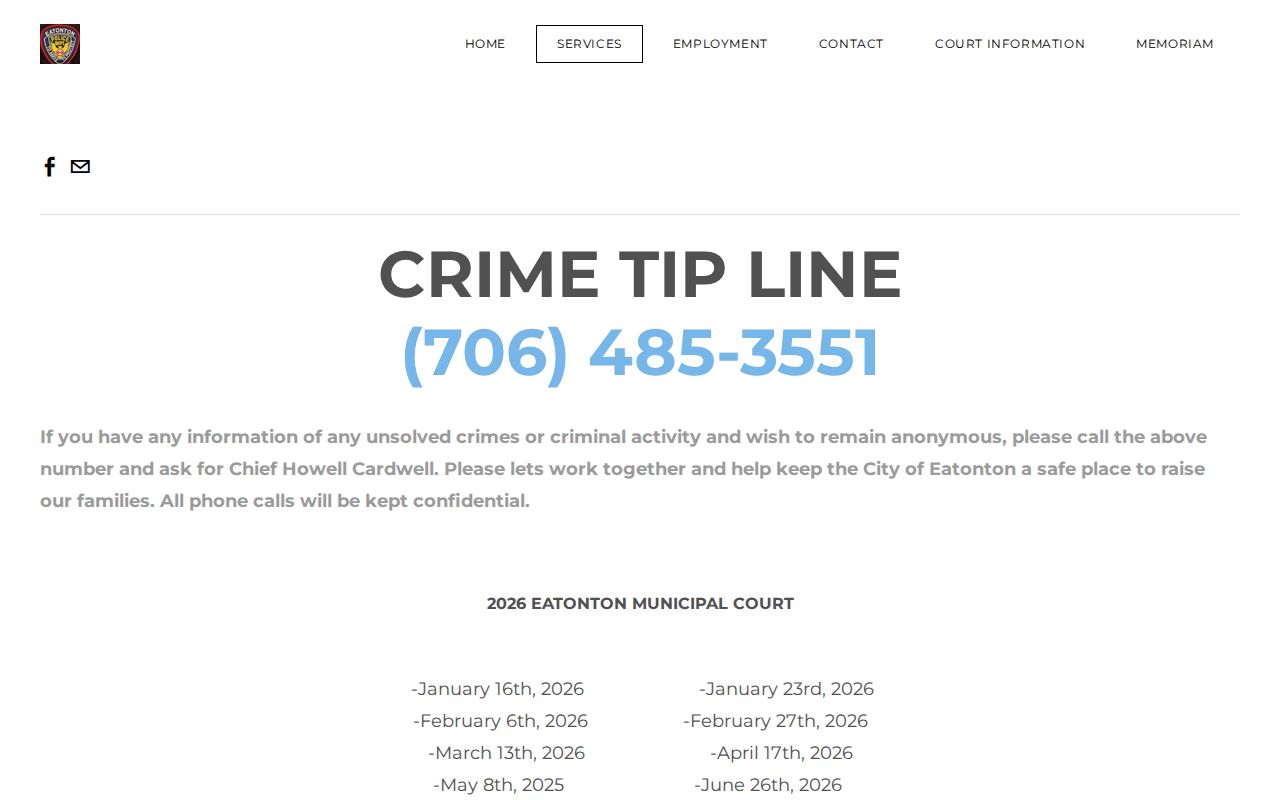
These directions belong to Eatonton alone. Putnam State Court runs its own citation and payment process, covered with the county's traffic court records.
Eatonton Must-Appear Categories
The official city court page lists matters that always require an appearance: DUI, driving without a license, suspended-license cases, possession with marijuana, and speeding twenty-four or more miles per hour over the limit for a driver under twenty-one. The current citation and court instructions control. Online payment is not available just because the portal accepts a search.
Missed an Eatonton setting? Call police and Municipal Court at (706) 485-3551. No portal screen can withdraw a warrant, reset a date, or decide whether an appearance is still required.
Where Eatonton Cases End Up
Eatonton's local violations start in Municipal Court. City ordinances and traffic tickets filed inside municipal limits land on that docket first. Anything beyond the city's reach goes to the county level instead. Putnam County State Court takes misdemeanors and county traffic cases. Superior Court handles the heavier load: felonies, major civil claims, equity, title questions, and domestic-relations matters. No chart maps an automatic appeal from one court to another. Trace the filed order in your own Putnam County court docket. Do not guess a route.
Docket flow: Eatonton Municipal Court › Putnam County Courts › Superior Court of Georgia, Putnam County, Ocmulgee Judicial Circuit
Those layers mark rising jurisdiction, not a promise of automatic appeal. For a nonmunicipal matter, search the Putnam County court docket and confirm which court is named on the filing.
Eatonton Municipal vs State Traffic
City and county traffic records live in separate systems. An Eatonton city citation starts in municipal court. The EZ Court Pay portal and the police department's phone line serve it. A State Court citation written in Putnam County runs through the clerk in Addison, the PayYourTix system, and the State Court calendar instead. Keep the payment details straight. Never carry account or payment instructions from one system into the other.
| Ticket | First channel |
|---|---|
| Eatonton police or ordinance citation | EZ Court Pay or (706) 485-3551 |
| Putnam State Court citation | PayYourTix or (706) 485-4501 |
| Unknown issuing court | Read citation, then call the named court |
Always match the court name before paying, mailing, or appearing.
Public Access to Eatonton Court Records
Start with public access. An Eatonton municipal court record is generally open. Georgia law, court orders, confidentiality rules, and redaction set the limits. Send requests for a city file through the municipal court channel itself. State and Superior Court records sit with the county clerk instead. Two cautions apply here. A payment receipt never equals the whole docket. A blank online result does not prove a case never existed.
Key rules:
Georgia Open Records Act, O.C.G.A. §§ 50-18-70 and 50-18-71 supports access subject to lawful exemptions and orders.
Protected identifiers should not be copied or republished merely because part of a file is visible.
Ask the custodian to identify the rule, statute, or order supporting any withheld portion.
No statewide portal merges every local docket into one system. For city files, Eatonton Municipal Court remains the first office to ask.
Missed Eatonton Court Dates
Call (706) 485-3551 right away after a missed date. Keep your details in front of you. That means the citation number, full name, date of birth, and scheduled date. Ask what the municipal file shows now. It may list a new setting, a warrant, a payment restriction, or some other instruction. Retrying payment is not a substitute for talking to the court. Note the office you reached, the time of the call, and the instruction given. Only the court itself can explain the current status of an Eatonton court docket entry.
Confirming an Eatonton Docket Match
A solid match rests on several fields used together. Compare the citation number, date of birth, issuing agency, charge, and court date. A surname alone can point at the wrong person or fail to narrow anything down. Check every displayed field against the paper citation before paying. If the portal and the citation disagree, stop and call Municipal Court. Never send a second payment just because the first result was murky. When you call, ask whether the citation has reached the municipal system yet. Is it eligible for payment? Is an appearance required? The state warns that new traffic items can lag online. The original deadline still stands. Eatonton's own municipal instructions set the payment cutoff. A web delay does not extend it unless the court says otherwise. The municipal record and the Georgia driving record are separate things. Eatonton Municipal Court holds the city case. That record covers its charge, settings, plea, orders, and disposition where public. The Department of Driver Services keeps its own agency record. A receipt is not the full case file. When the question is what happened in the city case, request the court record from Eatonton.
Eatonton Record Request Details
Give the court the right details. For a public municipal record, that means the citation number, your full name, an approximate date, and the exact item you want. Ask whether inspection, a plain copy, or a certified copy is available. Also ask what the current charge is. Eatonton publishes no full copy-fee or turnaround table. A direct quote beats any borrowed county rate. Law, court order, or redaction rules can restrict parts of a file. A public docket entry may point to a document that is not online. Ask which portion can be inspected and which authority holds back the rest. Send no private identifiers beyond what the court needs to find the case. Each city resource does a different job. The City Hall directory supplies contacts, and police pages post city dates and instructions. The court-information page explains procedure, and the EZ Court Pay form searches eligible citations. None of them replaces direct confirmation. Use it when case status, a court date, or an appearance duty is uncertain.